

Explore Embed Documentation
The Explore Embed allows you to display Scratch projects from different users on your website. It shows the project thumbnail, title, author profile picture, and username. You can click on projects to open them in TurboWarp or Scratch.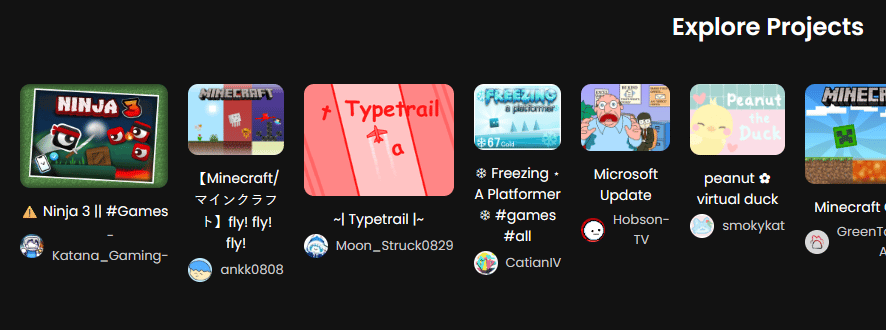
URL Format
To embed an Explore feed, use the following iframe URL:- The Explore embed shows projects from multiple users, updated dynamically.
- You can optionally filter by categories in the future using query parameters.
JSX/React Example
For React or MDX projects, use this format:Features of the Explore Embed
The embed shows:- Project Thumbnail for each project.
- Project Title below the thumbnail.
- Author Profile Picture and Username under the title.
- Clicking a project opens a project actions overlay:
- Run in TurboWarp
- Open in Scratch in a new tab
- Projects are dynamically loaded, showing the latest content from the Scratch Explore API.
Notes
- The Explore embed updates dynamically, always showing recent projects from different users.
- You can customize the iframe size using
width,height,border, andborder-radius. - Multiple Explore embeds can be added to the same page without conflicts.
- Styling can be customized via surrounding container styles.
Quick Tips
- Author profile pictures are clickable and will open the profile embed in an iframe with a back button overlay.
- Use the project actions overlay to let users run projects in TurboWarp or open them directly in Scratch.
- The embed is fully responsive for desktop and mobile layouts.